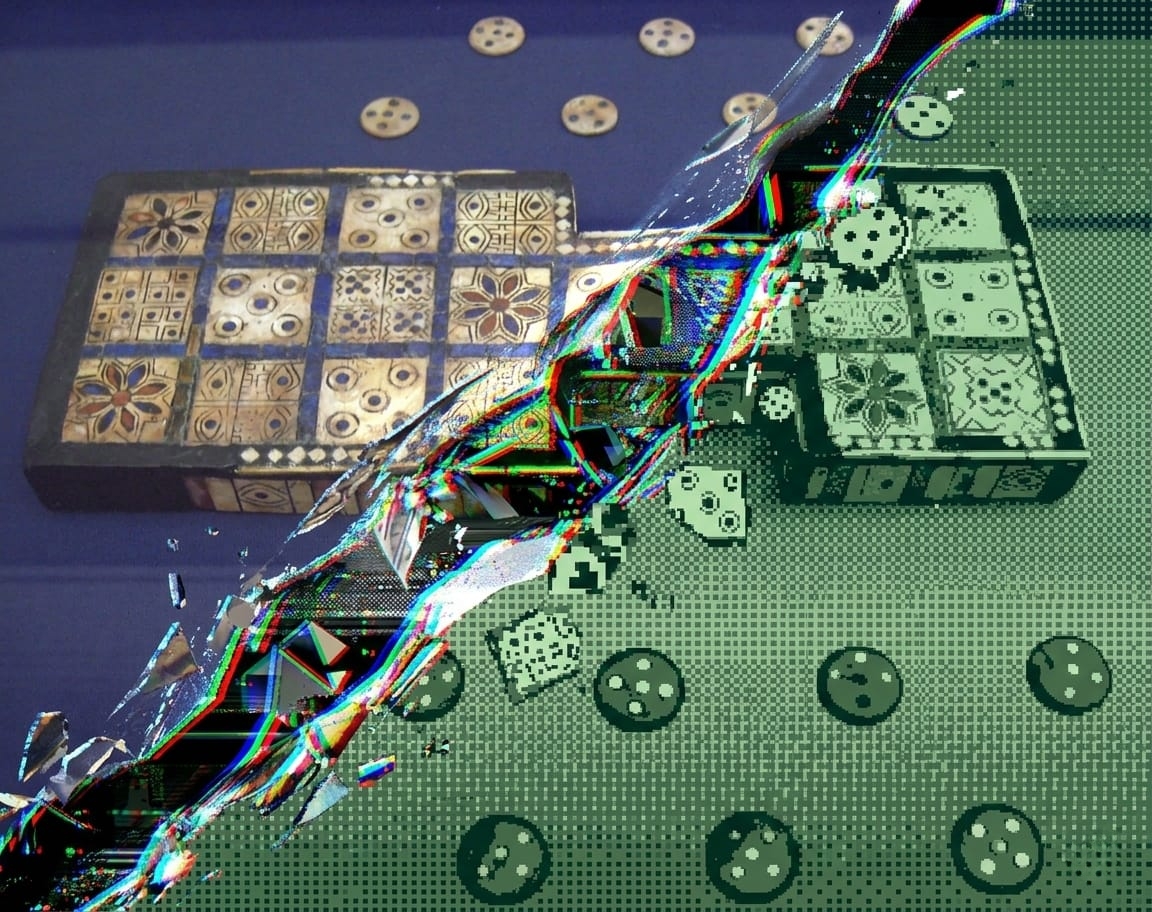
The Royal Game Boy of Ur
Building a Game Boy version of the world's oldest board game
Years ago, a documentary on “The Royal Game of Ur”, one of the oldest known board games, nearly 5,000 years old, instantly piqued my interest. When I later heard Dr. Irving Finkel discuss it on a podcast, the fascination came flooding back. But this time, I had an idea: build a playable version of the Royal Game of Ur for the original Game Boy.
Want to try the game! Grab it from itch.io for free!
If you want to have a look at the code of this project, you can find it on GitHub.
Why the Game Boy? Why Agentic Coding?
I grew up with the Nintendo Game Boy; it was the first console I had and I have fond memories playing those games. But it is also an older system and Game Boy homebrew development, even with tools like GBDK, is a niche with a small but dedicated community. For agentic coding tools like Claude Code, that matters: when working on a Python project with popular libraries like pandas or flask, there is plenty of reference material available. In my previous experiment, porting a genetic art algorithm to Rust, Claude Code performed impressively, but Rust is a well-documented, popular language. I wanted to test if Claude Code could handle a much less common ecosystem, where documentation is sparser and the community is smaller.
On a device like this, you are also working closer to the hardware: handling interrupts, managing memory, working within tight constraints. This is a far cry from modern application development, where most of this is abstracted away by frameworks. That unfamiliarity was part of the appeal: how do you prompt an agentic coding tool effectively when you yourself don’t know the packages, functions, and terminology for the platform?
When developing games, creating the assets is often the limiting factor. The Game Boy’s resolution (160×144 pixels) and color palette (2-bit: white, light gray, dark gray, and black) are more forgiving on that front. I’m a developer, not an artist, so a platform where simple graphics are the norm rather than the exception suits me well. And the Royal Game of Ur, with its simple rules and turn-based gameplay, seemed like an ideal fit for these constraints.
So the goal was threefold: test how well Claude Code works for a less common platform, deepen my understanding of the Game Boy’s hardware, and — if all went well — end up with a playable game.
Testing the Waters: A Simpler First App
Diving right in didn’t feel like a great option here. I wanted to set up my toolchain (VSCode, Docker and devcontainer) correctly first, then check if I could get a simple application running, something that put some graphics on the screen, handled user input and played some sound. Zen Garden was born, a simple meditation app which just shows a few images on the background, has a menu the user can interact with and a simple background melody and sound effects.
My Dockerfile, which I use with VSCode and devcontainer, is found below. I included Python (good to have access in case a quick script is needed to convert something), Node.js (to install and run Claude Code inside the container) and GBDK (the build tools for the Game Boy). Testing I did manually with SameBoy but later switched to BGB which has better tools to debug ROMs.
# Game Boy Development Environment with GBDK-2020, Node.js, and development tools
FROM ubuntu:22.04

# Prevent interactive prompts during package installation
ENV DEBIAN_FRONTEND=noninteractive

# Install system dependencies
RUN apt-get update && apt-get install -y \
    build-essential \
    wget \
    curl \
    unzip \
    git \
    make \
    cmake \
    pkg-config \
    libsdl2-dev \
    libsdl2-image-dev \
    python3 \
    python3-pip \
    sudo \
    bc \
    && rm -rf /var/lib/apt/lists/*

# Install Node.js (latest LTS) and npm for Claude Code
RUN curl -fsSL https://deb.nodesource.com/setup_lts.x | bash - \
    && apt-get install -y nodejs \
    && npm --version \
    && node --version

# Create development user to avoid running as root
RUN useradd -m -s /bin/bash gbdev \
    && echo "gbdev ALL=(ALL) NOPASSWD:ALL" >> /etc/sudoers

# Switch to development user
USER gbdev
WORKDIR /home/gbdev

# Install GBDK-2020 (Game Boy Development Kit)
RUN wget https://github.com/gbdk-2020/gbdk-2020/releases/download/4.2.0/gbdk-linux64.tar.gz \
    && tar -xzf gbdk-linux64.tar.gz \
    && rm gbdk-linux64.tar.gz

# Set up environment variables for GBDK
ENV GBDK_HOME=/home/gbdev/gbdk
ENV PATH="${GBDK_HOME}/bin:${PATH}"

# Note: SameBoy emulator installation skipped in container
# SameBoy requires GUI/X11 which is complex in containers
# Install via: apt install sameboy (if available) or use BGB/other emulators
# For now, ROMs can be tested by copying to host machine

# Install Claude Code globally as gbdev user
RUN curl -fsSL https://claude.ai/install.sh | bash

USER gbdev
# Create project structure
RUN mkdir -p /home/gbdev/gameboy-project/{src,include,build,assets,tools}

# Set working directory for the project
WORKDIR /home/gbdev/gameboy-project

# Copy development files when container starts
VOLUME ["/home/gbdev/gameboy-project"]

# Default command
CMD ["/bin/bash"]
This all worked much smoother than I expected! Using Claude Code, prompting it to do small steps in plan mode (so I could check what was about to happen and if it made sense), this application came together nicely. Claude would run GBDK tools like png2asset to convert my images to tiles compatible with the Game Boy. Code to display graphics, pop up menus and transition between screens was also generated without huge issues. Some things, like clearing the screen with the background tiles after closing a menu, you have to handle explicitly and Claude often omitted these steps. Though once I got a handle on what caused some of the graphical issues, I was able to prompt Claude to fix them.
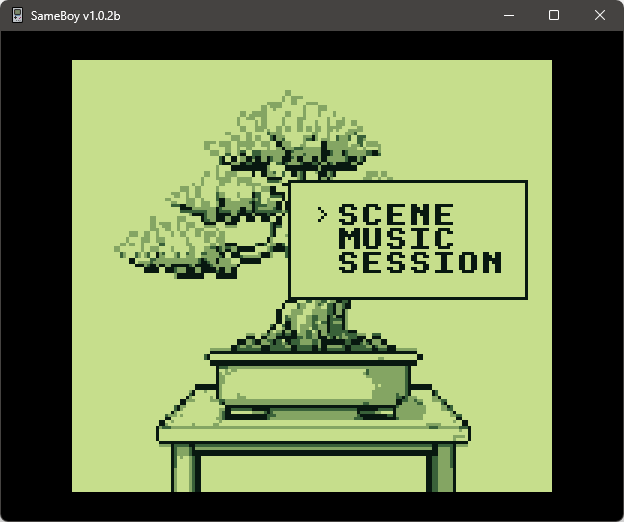
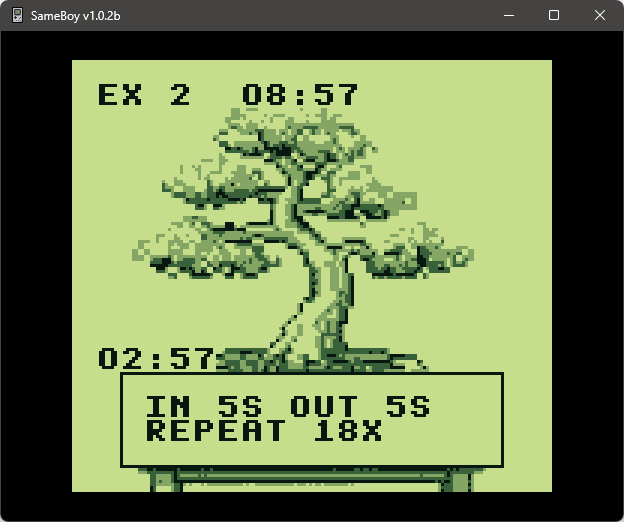
Probably the trickiest part was sound. For graphics you can rely on AI to generate artwork, and I have just enough experience with GIMP to clean that up. But sound is another matter — using hUGETracker is quite the challenge, though I got something out I considered good enough.
So this test checked most of my boxes: I got some rudimentary graphics running (however, only using the background layer, no sprites yet) and had basic sound and a pretty solid menu implementation. This gave me some more hope that this idea was actually feasible and in a reasonable timeframe.
Building the AI Opponent in Python
While the Royal Game of Ur is a dice-based game and there is some luck involved, there is more strategy to it than you might expect. The rules are simple: race your pieces along the board, capture opponents by landing on them, and score by moving pieces off the end. Since you can have multiple pieces on the board and choose which one to move, there’s room to position pieces strategically and set up captures more efficiently.
So before starting, I wanted to explore options to implement an AI for the CPU opponent: check if I could come up with a few different playstyles, test how well these worked and optimize parameters. This I opted to do in Python, the language I’m most familiar with, so it made sense to prototype in this environment. This might warrant an entire post dedicated to it by itself, but the concept is relatively simple and very much in line with my post about using an agent-based model, except here we’re not simulating a game … the agents will actually play a game. Different agents can use different strategies (or the same strategy with different parameters), which allows me to pick a few options to include in the Game Boy ROM. I ultimately landed on four strategies that were conceptually distinct enough to link to four different CPU opponents in the game. Those strategies also match the characters’ backgrounds — the merchant, for instance, uses a greedy strategy that goes for the best move in the short run.
In the table below you can see which strategies worked best and how they ranked against each other.
| Strategy | Elo Rating | Games Played |
|---|---|---|
| TurnEconomy-Optimized | 2170.8 | 6400 |
| TurnEconomy | 1955.3 | 6400 |
| TEExpectimax-D1 | 1914.0 | 6400 |
| PhaseBased-Optimized_V3 | 1865.5 | 6390 |
| PhaseBased-Optimized_V2 | 1689.4 | 6399 |
| Greedy-Default | 1653.6 | 6400 |
| Adaptive | 1647.3 | 6400 |
| PhaseBased-Optimized | 1567.1 | 6400 |
| VarianceAware-Aggr | 1467.1 | 6400 |
| PhaseBased | 1444.6 | 6400 |
| Greedy-Defensive | 1413.2 | 6400 |
| Priority | 1387.7 | 6400 |
| Expectimax-D1-Aggr | 1379.7 | 6400 |
| Greedy-Aggressive | 1179.8 | 6389 |
| VarianceAware-Optimized | 1039.3 | 6400 |
| Expectimax-D1-Def | 960.8 | 6400 |
| Random | 764.9 | 6400 |
The AI strategies and the groundwork from Zen Garden gave me the confidence I needed. Now came the real challenge: turning all of this into a polished Game Boy game.
Building the Game: Menus, Graphics, and Controls
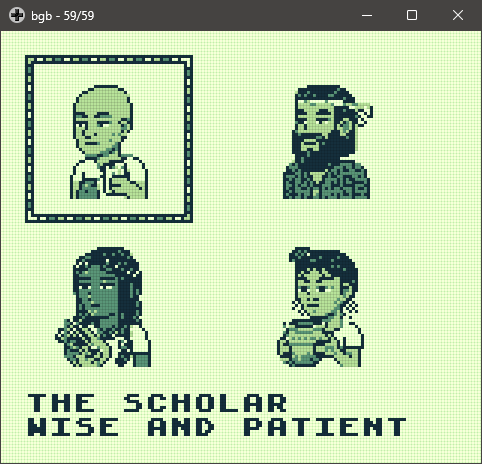
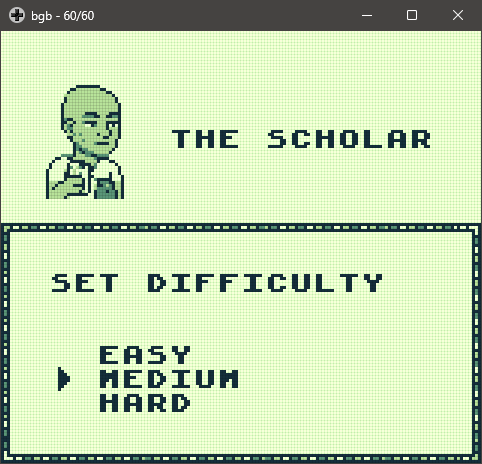
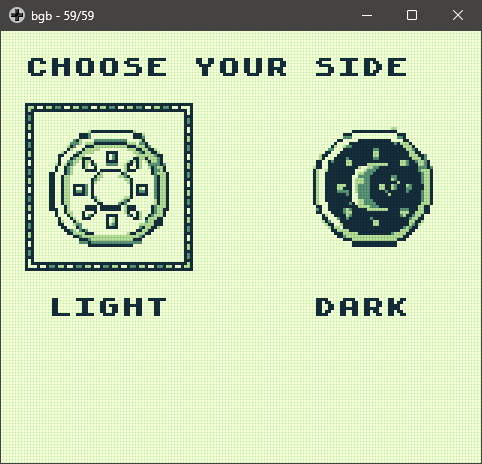
For most games there are a few screens to go through before the game is started. That is the case here as well: you are first welcomed with a title screen where you can start the game, then you pick the opponent, the difficulty, your side (dark/light) and then the game starts. This is a simple logic and allows building up to implementing the actual game, where we’ll need to show the board, the pieces, the dice, … But also implement the UI to select which move to make, …
The Title Screen
This one has evolved a lot over the course of development, from a static image with a small menu to an animated screen leveraging the background and sprites to create some visual interest.
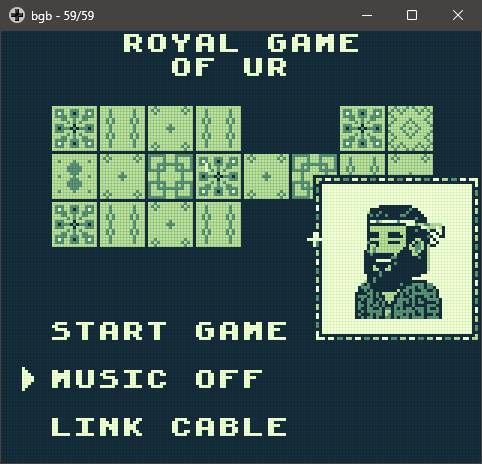
Starting the Game (single player)
The next few screens allow the player to set up parameters for the game: they pick an opponent (which corresponds to a different AI), they set the difficulty (which affects how tightly the AI will follow its strategy) and the side they play with (dark or light). Along with the title screen these are all a state machine, with multiple layers to keep track of options selected.
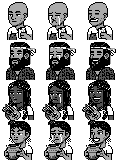
Designing assets was relatively easy. I mostly used Gemini (nano banana 2) to create the artwork, loaded it up in GIMP to do some cleaning and turned it into a true 2-bit graphic. Then using png2asset this was converted into assets for the game. Doing this one by one however was a mistake; passing a single large image into png2asset and then loading the right tiles is more efficient. For the assets used here this didn’t cause any issues, however, in the next phase I would not be so lucky.
Creating the Actual Game Loop
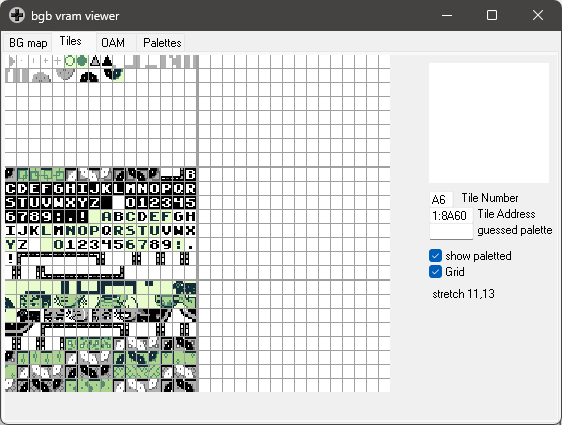
Continuing with the step-by-step approach, I drew a board, had Claude add that to the game, the text and opponent’s profile were added, … But then it was time to draw the pieces on the board… here we hit a roadblock. As I used a png of the entire gameboard, adding tiles with the game pieces on them, which then should be converted into assets and shown at the right position, turned out to be impossible for Claude to figure out. I ended up going down an entirely different route: I made a file that contained all board squares, each one empty, with a black piece and a white piece and converted those. Then I (manually) linked those to screen positions where they needed to be drawn. This permitted a much simpler logic to draw an occupied spot on the board by simply taking the tiles from another position in that reference (see below).

I found BGB’s debug feature, and specifically the one to view the VRAM, very useful for figuring out some of these issues.
Once that was sorted out, sprites needed to be made. This also gave me some headaches as sprites only use 3 out of 4 colors, one becoming transparent. As I was making sprites one by one, this transparent color was different for each sprite and new sprites were not showing up correctly. Once I figured out the issue was the palette used for sprites, I made all sprites for a given screen together, sharing the transparent color, and set the palette config correctly for each screen.
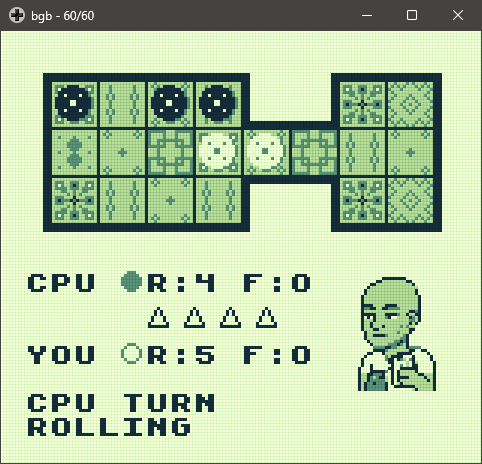
Everything else Claude managed to add with only minor hiccups. Again I took my time, making small-ish incremental changes and testing the changes each and every time.
Initially the computer just did random moves all the time. Adding the AI however was surprisingly easy: I copied over the code from the Python agents I used to test and optimize different AI strategies and Claude converted that to C, making the necessary changes to match the game’s implementation. Very impressive! I just had to indicate which AI I wanted linked with which profile.
| Opponent | Strategy | Description |
|---|---|---|
| The Scholar | Adaptive | Switches between defensive/balanced/aggressive modes based on whether the AI is ahead, even, or behind |
| The Merchant | Greedy | Evaluates board positions based on advancement, rosettes, and captures |
| The Musician | Turn Economy | Minimizes turns to win, highly values extra turns from rosettes |
| The Priestess | Phase-based | Adapts evaluation weights based on game phase (opening/midgame/endgame) |
Each strategy also has difficulty settings (Easy/Medium/Hard) that control how often the AI uses its strategy versus making random moves:
- Easy: 40% chance to use strategy, 60% random
- Medium: 65% chance to use strategy, 35% random
- Hard: 100% always uses strategy
Winning and Losing
The final screen shows who won the game. Initially it was a static image, but an animation was added to the profile later on (here too the way profiles were converted to assets had to be reconsidered).
Multiplayer: Adding Link Cable Support
Around the time I had a working version, I was thinking about wrapping it up and calling it good. Though this could be a two-player game with link cable support… Given that the Game Boy link cable system is essentially a low-level serial connection between the two consoles, this is somewhat easier said than done; you’d really have to implement the whole communication protocol. However, Anthropic released Opus 4.6 and gifted $50 worth of API credits for users to play with the new model. With a stronger model and the extra credits, I decided to give it a go!
This certainly was the most challenging part of implementing this game! More than once, large chunks of code needed to be refactored, the logic for how the two devices should communicate wasn’t obvious, and testing was time-consuming. Claude’s changes often had to be reverted as even the Opus 4.6 model with high effort couldn’t always figure out the correct implementation. Despite having to take a step or two back every once in a while, by testing the code, checking the implementation and pushing the model in the right direction it ultimately worked.
To test this, the Emulicious emulator should be used. On my system BGB couldn’t connect two instances …
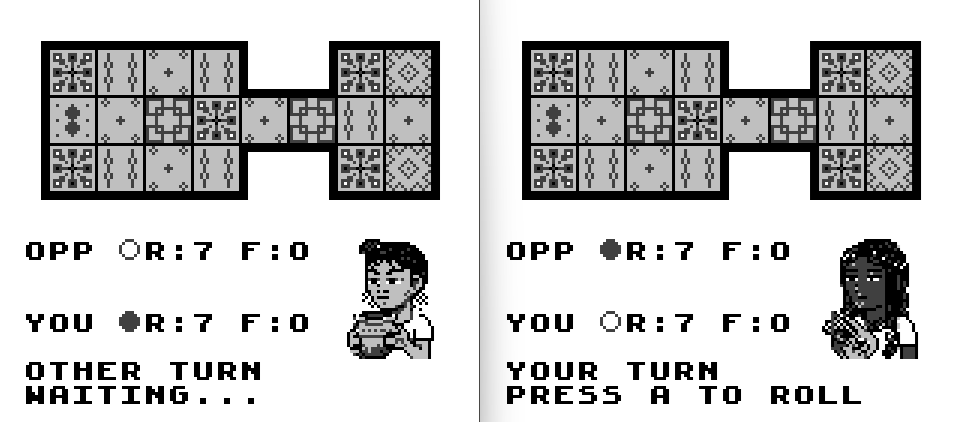
For those wondering, this required the full $50 worth of API credits and without them would have been a week or two worth of Claude Code’s Pro subscription. Those credits were very timely, as without them this feature wouldn’t have been implemented.
Sound and Music
This is the part where things could be improved a lot. Some GB games have incredibly iconic and atmospheric soundtracks and excellent sound effects. So the system is really capable of a lot more than I’ve been able to squeeze out. As I’m no composer, I picked a scale that felt Middle Eastern, the Phrygian scale, and added a few variations along with a few notes here and there in the second channel. That left the wave and noise channels open to use for sound effects.
This was all a bit of trial-and-mostly-error to get anything acceptable sounding, but there is definitely a lot of room for improvement here. The music does tend to get a bit repetitive (despite the variations), so I decided to add the option to disable it. If you don’t like the SFX either, you can turn down the volume of the console.
Before moving to another project, I’ll be spending some more time in hUGETracker to figure out how to create the sound effects and music I want in a more principled and predictable way.
There were some issues adding a background soundtrack this late in development. In some screens, there wasn’t much headroom to play the music and notes would start too late or be skipped entirely. This required removing some features (I initially had an animation in the title screen) and refactoring some code to run more efficiently and regularly.
What I Learned
The engineering of the Game Boy is incredible; it contains a ton of clever features that enable programmers to do a lot with a low-power device. Though it does require a decent understanding of the system to do so, and somewhat surprisingly, Claude Code was able to implement features using those tricks. By using plan mode and asking it to explain design decisions, you can learn a lot about the system!
A New Appreciation for Game Boy Games
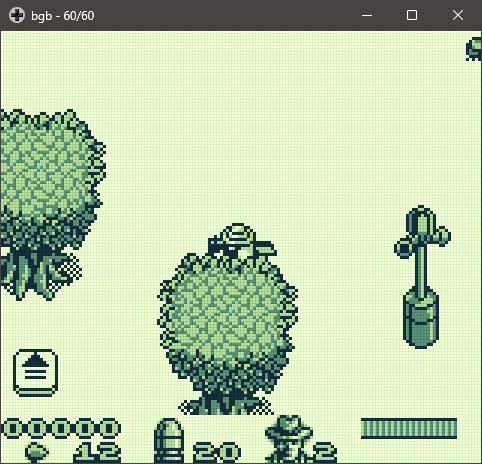
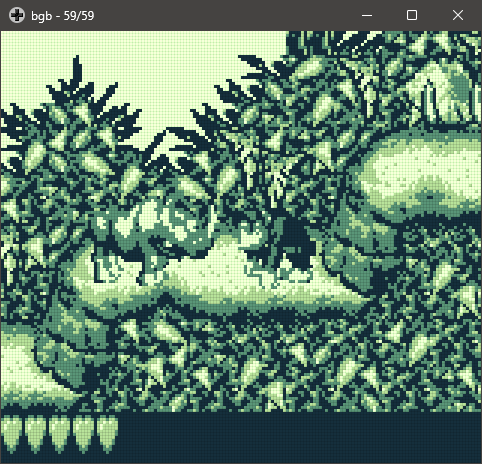
While working on this game and starting to understand some of the limitations of the system, I found myself increasingly impressed with some of my childhood games. For instance, in Jurassic Park the player can walk behind elements (walls and trees), which seems impossible given how the background layer, sprites and the window layer interact, yet they pulled this off. The graphics of Donkey Kong Land always were ahead of the competition, but knowing what I know now it seems even more impossible what those developers pulled off! The sheer size of Pokémon Gold/Silver/Crystal also amazes me, while using multiple banks for storage, these games are huge.
On the Royal Game of Ur Itself
Most racing-style board games are fairly random; luck drives the entire game and the players don’t have much agency over the outcome. Here, you have a surprising amount of control. The use of four binary dice favors rolling a two, with 1 and 3 being slightly less likely and the extremes 0 and 4 being quite rare. This reduces the frustration of rolling a single D6. Having multiple pieces on the board and deciding which one to move allows for more strategy and planning than one might think.
What’s Next
There are a few things left unexplored on this system. This game fits in the simplest 32K cartridges; if you want to pack more assets and code, you need to spread it across different memory banks and switch between them depending on the assets needed. Working with other types of carts which have multiple banks would be a logical next step as this allows more complex and larger games. A save function wasn’t needed for this ROM, however as games grow more complex and longer, this becomes a requirement. Having completed this game, doing something more elaborate has become possible.
There are tricks you can do with graphics: not only are there cool things you can do using just the background layer, I’ve only used static sprites here and only briefly touched the window layer (for the pause screen). Exploring these to create more interesting transitions between screens would be a nice next step.
Running the ROM on hardware would be awesome as well, but this will become pricey. (Update: the ROM has been confirmed to work with actual hardware incl. the link cable) I’d have to figure out how to make the carts (at the very least I’d have to purchase a device to write the ROM to a cart) but also acquire suitable handhelds, a pair of suitable handhelds to test the link cable mode. Real devices are getting expensive around here, too expensive to justify this (I have plenty of handhelds that can play GB games through emulation just fine), but there might be some options like the Funny Playing Game Boy Color (FPGBC), which is an FPGA-based system that emulates the Game Boy Color at the hardware level and supports carts and link cable. It is tempting though…
Additional Reading
Tools & Software
- GBDK-2020 – Game Boy Development Kit, the toolchain used to build this ROM
- hUGETracker – Music tracker for Game Boy homebrew
- Claude Code – Agentic AI coding tool used throughout development
- GIMP – Image editor used for cleaning up game assets
- Gemini – Used to generate artwork for the game
Emulators
- SameBoy – Accurate Game Boy emulator
- BGB – Game Boy emulator with excellent debugging tools
- Emulicious – Multi-system emulator with link cable support between instances
The Royal Game of Ur
- Rules of the Royal Game of Ur – Clear overview of the rules, plus you can play online
- Tom Scott vs Irving Finkel: The Royal Game of Ur – The British Museum video that started this whole project
- Irving Finkel on the Royal Game of Ur – The podcast that reignited the idea
- The Royal Game of Ur on Wikipedia – History, rules, and archaeological context
- British Museum: The Royal Game of Ur – The original board in the museum’s collection
Game Boy Development Resources
- GBDK-2020 Documentation – Official GBDK docs and API reference
- Pan Docs – Comprehensive technical reference for Game Boy hardware
- Awesome Game Boy Development – Curated list of Game Boy development resources
- The Ultimate Game Boy Talk – Excellent technical deep-dive into the hardware
Hardware
- FunnyPlaying FPGBC – FPGA-based Game Boy Color compatible system
Related Posts on This Blog
- Python to Rust: Porting My Genetic Art Algorithm – A similar experiment using Claude Code for an unfamiliar ecosystem
- An Agent Based Model to look at Gwent Pro Ladder – The agent-based modeling approach referenced for the AI opponents
- Can ChatGPT write a Python GUI app for me? – An earlier experiment with AI-assisted development
- GameBoy Zero Builds – Previous Game Boy project on this blog
Acknowledgements
The header image was generated using Gemini starting from a public domain image.

Liked this post? You can buy me a coffee